The Challenge#
A colleague seeks to modify the script section of a job in a shared GitLab pipeline, facing hardcoded configuration:
# https://gitlab.com/rlespinasse/foobar-shared-ci-templates/-/blob/main/pipeline-with-hardcoded-values.yml
test-branch:
  stage: test
  before_script:
    - ls
  script: # it's for the example, the script can be more complex
    - ls ./wrong-folder
This rigid setup causes pipeline failure in their project:
# https://gitlab.com/rlespinasse/foobar-project/-/blob/main/.gitlab-ci.yml
include:
  - project: 'rlespinasse/foobar-shared-ci-templates'
    ref: HEAD
    file:
      - '/pipeline-with-hardcoded-values.yml'
$ ls ./wrong-folder
ls: cannot access './wrong-folder': No such file or directoryIdeal Solution#
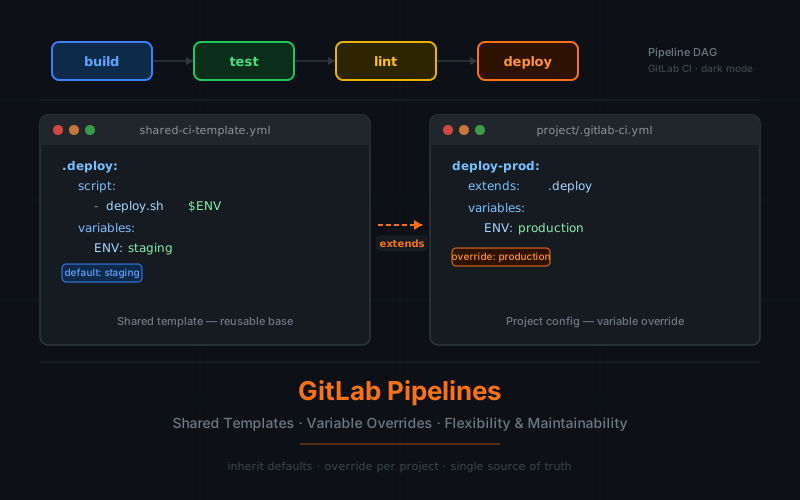
The optimal approach involves implementing variables as configuration points:
# https://gitlab.com/rlespinasse/foobar-shared-ci-templates/-/blob/main/pipeline-with-variables.yml
variables:
  FOLDER_TO_TEST: wrong-folder

test-branch:
  stage: test
  before_script:
    - ls
  script:
    - ls ./${FOLDER_TO_TEST}
This method allows for easy customization:
# https://gitlab.com/rlespinasse/foobar-project/-/merge_requests/2
include:
  - project: 'rlespinasse/foobar-shared-ci-templates'
    ref: HEAD
    file:
      - '/pipeline-with-variables.yml'

variables:
  FOLDER_TO_TEST: folder
$ ls ./${FOLDER_TO_TEST}
some-fileTemporary Workaround#
In the meantime, one can override only the script part:
# https://gitlab.com/rlespinasse/foobar-project/-/merge_requests/1
include:
  - project: 'rlespinasse/foobar-shared-ci-templates'
    ref: HEAD
    file:
      - '/pipeline-with-hardcoded-values.yml'

test-branch:
  stage: test
  script:
    - ls ./folder
$ ls ./folder
some-fileConclusion#
While functional, this temporary solution may lead to divergences and maintenance issues.
It’s recommended to contribute to open source or innersource projects (especially during Hacktoberfest) by proposing the addition of variables. This would allow users to adapt shared pipeline behaviors to their needs while preserving the original intent.
Explore the code#
You can explore the code on those repositories: